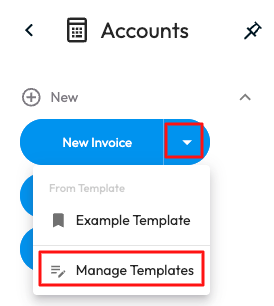
Invoice Templates save time and ensure consistency by standardising how invoices can be created and can be done through the Web Portal when creating a new invoice.
Once a new Invoice has been created you will have the option to Save as Template. When saving an Invoice as a template, all invoice content is stored except variable details such as Customer, Location, Invoice Date, Due Date and Invoice Number. 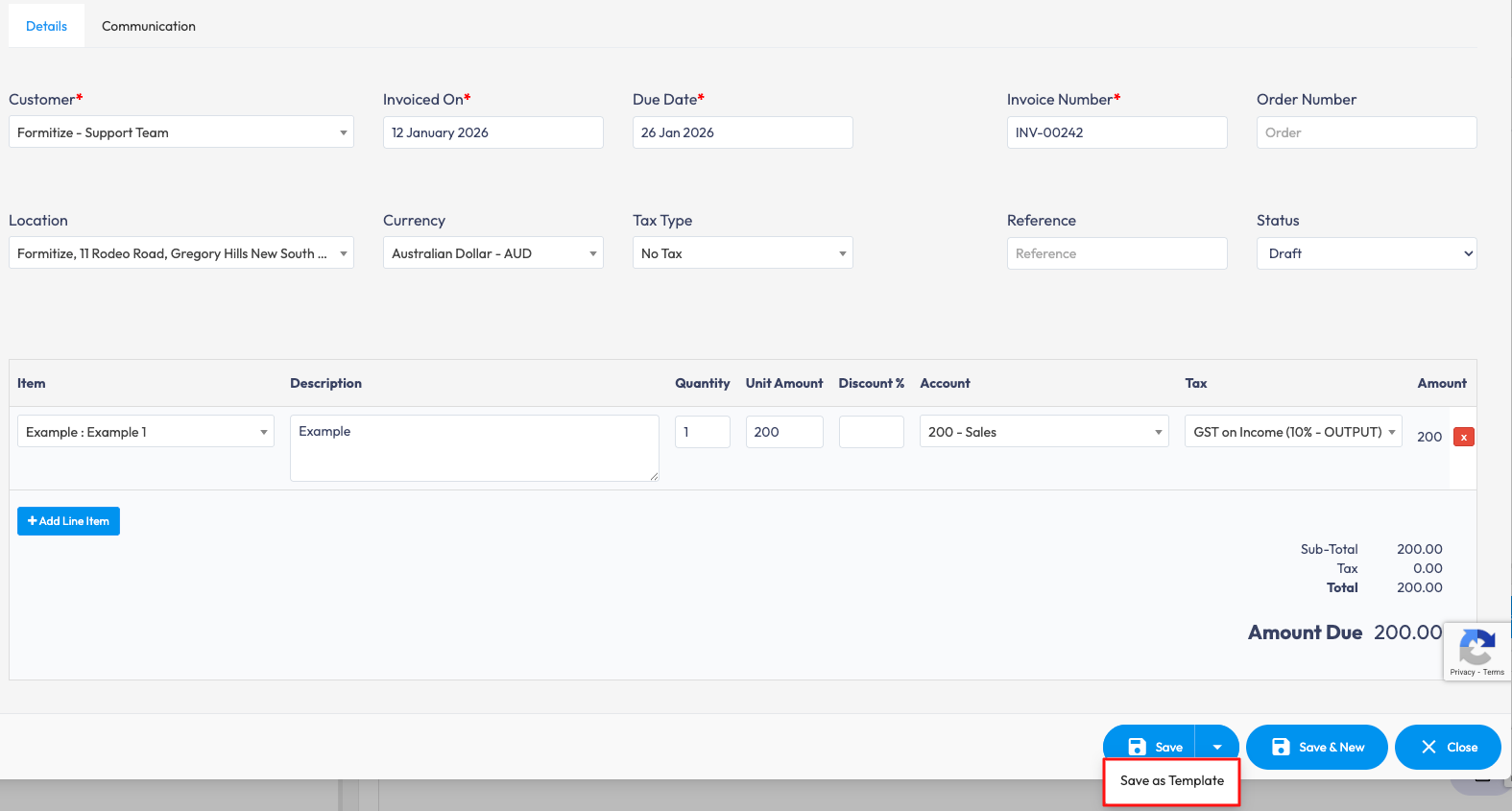
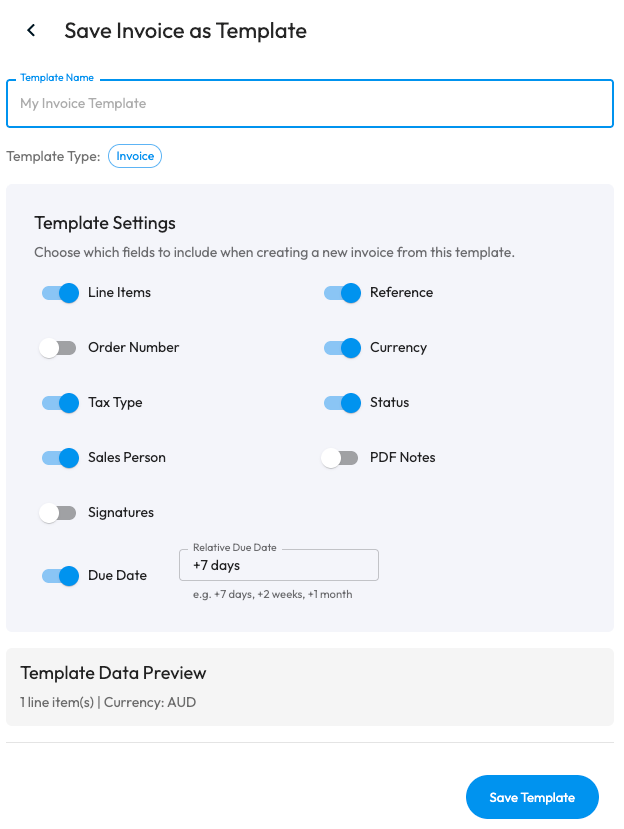
Once you select Save as Template, you will be able choose the fields that are to be included when creating a new invoice for the specific template under Template Settings.
Invoice Templates can be managed through the the Accounts menu > Select the dropdown next to New Invoice > Select the exisiting template to view the details or manage templates to delete the ones that are no longer needed.